


Draw Bridge Puzzle: Brain Game
4.2768.00 Reviews
App Specs
- Version
- 1.8.5
- Updated On
- License
- Free
- Downloads
- 50,000,000+
- Developer
- Brave Labs
- Categories
- Puzzle
- Platform
- Android, iOS
Screenshots
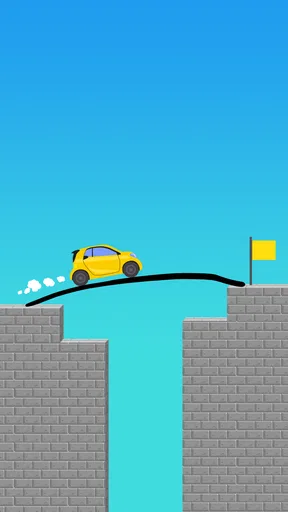
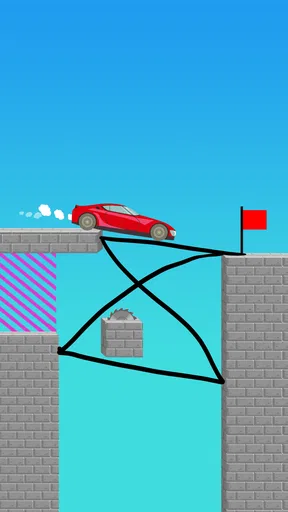
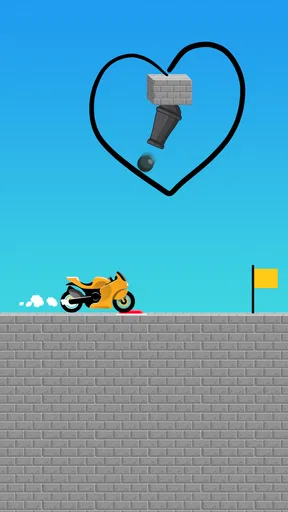
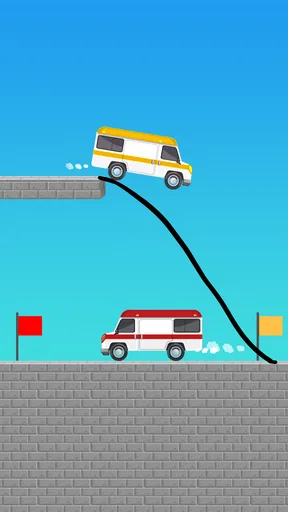
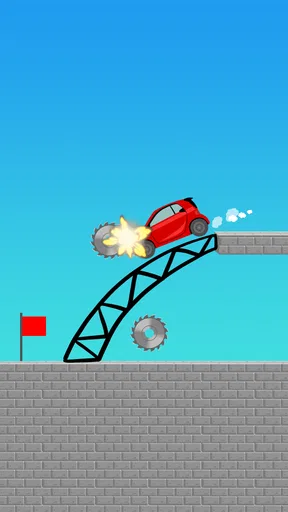
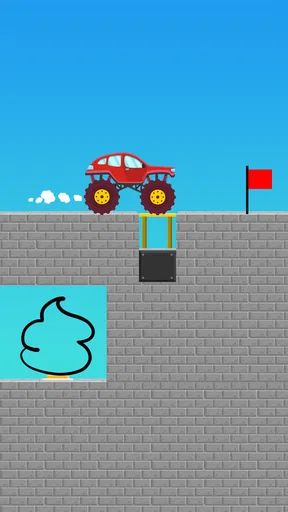
 Analysis by AppCompare
I enjoy puzzle games most when they give me a clear problem and let me work out the answer, rather than asking me to memorize a complicated set of rules. Draw Bridge Puzzle: Brain Game has an appealing premise for that kind of short session: guide a car by drawing a route and making bridges. The appeal is easy to understand, but the real test is whether solving each layout feels satisfying rather than fiddly. My take is that it is best approached as a casual, visual brain teaser—not as a deep driving game or a serious competition.
Why the free starting point matters
For someone deciding whether to install it, the clearest practical detail is that the game is free to download, while individual in-app purchases are listed at $2.99 each. I like that this gives you a chance to see whether drawing routes suits you before making a spending decision. The price per item alone does not reveal what a purchase contains, so I would treat the game’s own purchase screen as the place to judge any optional value rather than assuming an item unlocks a particular tool or advantage.
That distinction is useful if you are choosing a game for a child or sharing a device. Its Everyone content rating is a helpful starting point, but the presence of purchases still makes it sensible to check how buying is handled on that device. You can also simply decide that the free experience is enough: the central appeal is the act of solving a route, not a promise that spending is necessary.
Drawing a route is the whole point
This is a puzzle game from Brave Labs, built around turning a drawing into a way forward for a car. That simple relationship between your line and the vehicle is what gives each challenge its hook: you are not just picking a direction from a menu, but thinking about how a route can cross the scene and help the car get through. The idea suits quick play because the goal is immediately legible, even if finding a workable line takes more thought.
I would describe the core pleasure as spatial problem-solving. Before drawing, it helps to scan the full layout instead of reacting only to the first obstacle in front of the car. Look for where a road needs support, where a bridge must span a gap, and whether a route that seems direct actually leaves the vehicle room to move. That little pause can save repeated guesses and makes the game feel more like a puzzle than a reflex test.
The practical trade-off is that drawing gives you freedom, but freedom can also make a solution feel imprecise. If a line does not behave as expected, it may be unclear whether the idea was wrong or the stroke simply missed the intended path. I find that kind of trial and adjustment acceptable in a casual game, though players who want exact, predictable controls may find it less satisfying than a grid-based puzzle where every move has a fixed result.
Who will enjoy the short challenges
I can see this working well during a break, while waiting for an appointment, or as a low-effort game to share with someone nearby. A useful way to play is to treat each level as a small design exercise: first identify the destination, then plan the bridge or road sections, and only then draw. That approach is especially helpful when a quick first attempt fails, because it replaces random scribbling with a simple process.
Worth Reading Before You Choose

Flipboard Shows What News Apps Must Do Beyond the Feed

Switching to Android Auto Means Rethinking Your Driving Routine

Google Calendar Makes a Crowded Week Easier to Manage

Ludo King Makes the Most of the Minutes Between Plans

Baby Panda World Brings Quick Play to Modern Phones, but Its Game Library Feels Busy

ESPN’s Live Game View Makes Following Close Games Easier
It is also a reasonable pick for someone who likes seeing an idea take shape on screen. A drawn path feels more personal than choosing one of several preset answers, and that makes success easy to read: your plan either gets the car across or needs another try. On the other hand, it is not the game I would recommend to someone looking for a long narrative, elaborate vehicle handling, or a puzzle system built around deep strategy over extended sessions. Its central activity is deliberately narrow.
A realistic use for it is a short wait when you want something more involving than scrolling but do not have time to settle into a long game. I would play one layout, pause to think through the route, and stop when the drawing starts feeling like guesswork. That makes the game easier to enjoy on its own terms: as a small puzzle to pick up, rather than a commitment that needs a long uninterrupted session.
Progress without turning every level into a race
The pressure here comes naturally from testing a solution: a route that looks sensible on a still screen may not work once the car follows it. I prefer to make one deliberate attempt, notice where the plan breaks down, and revise only that part. Changing the whole drawing after every failure makes it harder to learn what the puzzle was asking for. This is a small but useful habit for getting more value from the game, especially if a layout initially seems to invite a messy line.
Because the premise is about building a way across obstacles, the game’s challenge is more about anticipating movement than drawing the prettiest route. A bridge that appears to connect two points is not automatically a good answer if the rest of the path does not guide the car smoothly. I would therefore focus on continuity: imagine the car’s approach, the crossing, and the landing as one route rather than treating the bridge as an isolated stroke. That mental check is more useful than trying to add extra detail to a drawing.
When a plan fails, I find it useful to change one thing at a time: adjust the approach, simplify the crossing, or reconsider the landing. This is not a special mechanic; it is a way to make the drawing-based trial and error more informative. If several parts of a sketch change at once, you may get a successful result without learning which adjustment mattered. For players who like to reason through a problem, that small bit of discipline can make retries feel less arbitrary.
The game is free to download, with in-app purchases listed at $2.99 per item. That gives a prospective player a straightforward starting point: try the central puzzle idea before deciding whether anything optional is worth buying. I would not assume that spending is required to enjoy the basic premise, nor would I assume that a purchase affects a level’s difficulty or competitive standing. The verified purchase context supports only the free entry and the stated per-item price; the practical value of any individual purchase depends on what is offered in the game.
Fairness depends on what you want from it
For a solo puzzle experience, I would judge fairness mainly by whether a failed attempt teaches me something and whether the drawing task feels understandable. The game’s concept encourages experimentation, which is a good fit for low-stakes play. It is less ideal if you want a competition where every player faces identical conditions and results can be compared precisely. I would not treat this as a skill-ranking game based on the available facts; its core appeal is solving a visual challenge for yourself.
That distinction matters when deciding whether to spend. If you simply want to try drawing roads and bridges to help a car through a puzzle, the free price is a sensible reason to sample it first. If you are considering an in-app purchase, check what the specific item provides in the game before paying rather than assuming it unlocks a particular benefit. The listed price is $2.99 per item, but purchase contents and any effect on progress or fairness are not established here, so I would keep expectations tied to what the game actually presents at checkout.
The wider puzzle category offers plenty of alternatives, and the best comparison depends on what you enjoy. A conventional logic game may be better if you prefer fixed rules and one clearly verifiable solution. A physics puzzler may suit you more if you want objects to interact in complex ways. This game’s more distinctive choice is to put the route itself in your hands. That makes it approachable and expressive, but also means players who dislike freehand input may prefer a more structured alternative.
It is also a different fit from puzzle games built around timed matching or rapid taps. Here, the useful skill is pausing to picture how a hand-drawn connection might carry the car, not reacting quickly to a changing board. If you enjoy sketching possibilities and testing them, that change of pace is a strength. If you want a tightly bounded answer with no ambiguity about how a move is interpreted, a tile-based logic puzzle is likely the more comfortable choice.
Useful fit, age, and device context
The game is rated Everyone, so its stated audience is broad. I would still choose it based on the player’s interest in simple visual challenges rather than the age label alone: someone who enjoys drawing a route and revising an idea is more likely to stick with it than someone who wants fast action or a large collection of mechanics. For a parent choosing a casual game, the rating is a helpful starting point, while the listed in-app purchases are worth keeping in mind when deciding how purchases on a device are handled.
For device compatibility, the listed minimum operating-system requirement is version 7.0. The current version is 1.8.5, so anyone troubleshooting should first check that their device meets the minimum and that the installed app is up to date. I would also recommend trying the game in a quiet moment before deciding whether its drawing feel suits you; a brief hands-on test is a better guide to comfort than judging the concept alone.
One question a new player may have is whether the game is better suited to solitary play or passing a phone around. I see its simple visual premise working either way, especially if one person suggests a route and another spots a gap in the plan. Still, the drawing itself is the main activity, so it is not a substitute for a party game built around several people taking turns or competing. It makes more sense as a shared mini-puzzle than as a group game with a larger social structure.
What I would want to know before paying
The purchase price is clear, but the exact contents of each in-app item are not established here. That is the main uncertainty for a careful buyer: the listed $2.99 tells you the price per item, not whether an item is cosmetic, helps with progress, or changes how a particular puzzle plays. I would inspect the purchase screen and its description before confirming anything. If the information there does not make the value clear, there is no need to rush into a purchase just to see whether the core drawing idea appeals to you.
I would apply the same restraint to assumptions about competitive balance. The game is a puzzle experience, and the confirmed facts do not establish a multiplayer ranking system or paid advantages. So I would not label it either pay-to-win or definitively free of paid advantages. For an ordinary player deciding whether to install it, the grounded conclusion is simpler: it is free to start, and individual in-app items carry a listed price. Keep spending decisions tied to the item descriptions you can actually review.
That leaves a few practical unknowns that are better handled by checking the game directly than by guessing: what each purchase gives you, whether an optional item is useful to your own style of play, and whether the drawing response feels comfortable on your device. These are not reasons to avoid trying it; they are reasons to separate the free trial of the core idea from a decision to buy something. I would only spend when the item’s purpose is clear to me and solves a need I actually have.
A measured verdict from a large audience
Draw Bridge Puzzle: Brain Game has an average rating of 4.2 from around 47,000 ratings, and it has passed 50 million installs. Those figures suggest that the basic drawing-and-crossing idea has reached a broad audience, but they cannot tell you whether you personally will enjoy the input or the style of challenge. I would treat popularity as a reason it may be worth a try, not as proof that every puzzle or interaction will suit every player.
Brave Labs released the game on July 21, 2022, and the current version is 1.8.5. It remains a focused proposition: draw a route, think about how the bridge connects, and see whether your plan gets the car through. That focus is its strongest quality when I want a quick mental diversion, and its clearest limitation when I want more variety or finely controlled logic.
My recommendation is to try it if you enjoy visual problem-solving and do not mind refining a drawing after a failed attempt. It is a weaker match for players who want a polished competitive ladder, a long-form story, or puzzles with completely fixed inputs. With a free starting point and paid items listed individually, the sensible approach is to test the game first, judge whether the drawing feels fair to you, and only consider spending when a specific purchase has a clear benefit. For the right kind of short session, Draw Bridge Puzzle: Brain Game offers an easy-to-grasp idea that can still make you stop and plan.
Pros
- Simple drag-and-draw controls are easy to learn.
- Short levels make it convenient for quick play sessions.
- Physics-based outcomes add variety to bridge-building puzzles.
- The core challenge encourages planning and spatial reasoning.
- Playable offline
- so it works without an internet connection.
Cons
- Some levels may feel repetitive after extended play.
- Ads can interrupt the flow between puzzles.
- Drawing freedom may make solutions feel less structured.
- Later levels can require trial and error to solve.
- Progression offers limited depth beyond completing levels.
FAQs for Draw Bridge Puzzle: Brain Game
What is Draw Bridge Puzzle: Brain Game?
Draw Bridge Puzzle: Brain Game is a casual logic game built around connecting a vehicle to its destination by drawing a bridge or other route. Each level presents a gap, obstacle, or unusual layout, and your task is to sketch a path that can safely carry the vehicle forward. The appeal comes from finding a workable solution with simple controls, while later puzzles may require more careful planning.
How do you play Draw Bridge Puzzle: Brain Game?
You typically use a finger to draw a line on the screen, creating a bridge or path for the vehicle to travel across. After you finish drawing, the vehicle moves and the game checks whether your design gets it to the goal without falling or hitting an obstacle. Try to consider the route’s shape and stability before releasing your finger; if your attempt fails, you can usually rethink the drawing and try again.
Is Draw Bridge Puzzle: Brain Game suitable for children?
The basic concept is easy to understand and relies on drawing and problem-solving rather than complicated controls, which can make the game approachable for a range of ages. However, suitability also depends on the individual child and the app’s current advertising, privacy, and in-app purchase settings. Parents should check the store listing and review the device’s purchase and content controls before allowing a child to download or play.
Does Draw Bridge Puzzle: Brain Game work offline, and does it contain ads or in-app purchases?
Availability of offline play, advertisements, and in-app purchases can vary by version, device, and region. Some mobile puzzle games let you play levels without a connection but may need internet access for ads, rewards, or other features. Check the Google Play or App Store listing and the in-game menus for current details before downloading. If ads or purchases matter to you, review those disclosures and set purchase restrictions as needed.
Is Draw Bridge Puzzle: Brain Game free, and where can I download it safely?
The game may be offered as a free download, but its price, optional purchases, and availability can change over time and differ between Android and iOS. For the safest installation, search for the exact title in Google Play or the Apple App Store and confirm the developer and app details before downloading. Avoid unofficial download files, and check that your device meets the listed requirements and has enough storage.


